Disclosure: This post may contain affiliate links. As an Amazon Associate, I earn from qualifying purchases. Learn more.

Welcome to DevicePickr. If you want a fast, no-confusion recommendation for USB-C hubs and MacBook docking stations, start with the guides below.
Most Popular Guides
- Best Docking Stations for MacBook Pro (2026): Ranked Picks
- Best Thunderbolt 4 Docks for MacBook Pro (2026)
- Top MacBook Docking Stations (2026)
- Best USB-C Hubs for MacBook Air (M4) in 2026
- Best USB-C Hubs for HDMI 4K 60Hz (2026)
- Does a USB-C Hub Support Dual Monitors on Mac?
- USB-C Hub Overheating: Causes and Prevention
Quick Picks
If you only read one thing: start with our ranked picks for MacBook docking stations, then use the troubleshooting guides if something doesn’t work as expected.
Recommended Picks (2026)
Quick Answer (TL;DR) (Updated February 23, 2026)
If you want one safe pick: CalDigit TS4 Thunderbolt Dock. If you want a better value: Anker 777 Thunderbolt Docking Station.
How to use this page: scan the comparison table, jump to the matching use case, then open only the listing that fits your setup.
Fast path: choose one track below and ignore the rest.
- Track A (least risk): CalDigit TS4 Thunderbolt Dock
- Track B (better value): Anker 777 Thunderbolt Docking Station
How we picked: research-based selection using manufacturer specs, compatibility notes, and what to verify on the Amazon listing (no hands-on testing claims). Affiliate links may earn us a commission, but rankings are not paid placements.
Start with CalDigit TS4 Thunderbolt Dock on Amazon Prefer value? Open Anker 777 Thunderbolt Docking Station
Skip to a pick: #1 CalDigit TS4 Thunderbolt Dock | #2 Anker 777 Thunderbolt Docking Station | #3 OWC Thunderbolt Dock | #4 Plugable Thunderbolt 4 Dock | #5 Kensington SD5560T Thunderbolt Dock
Head-to-Head: Top Pick vs Best Value
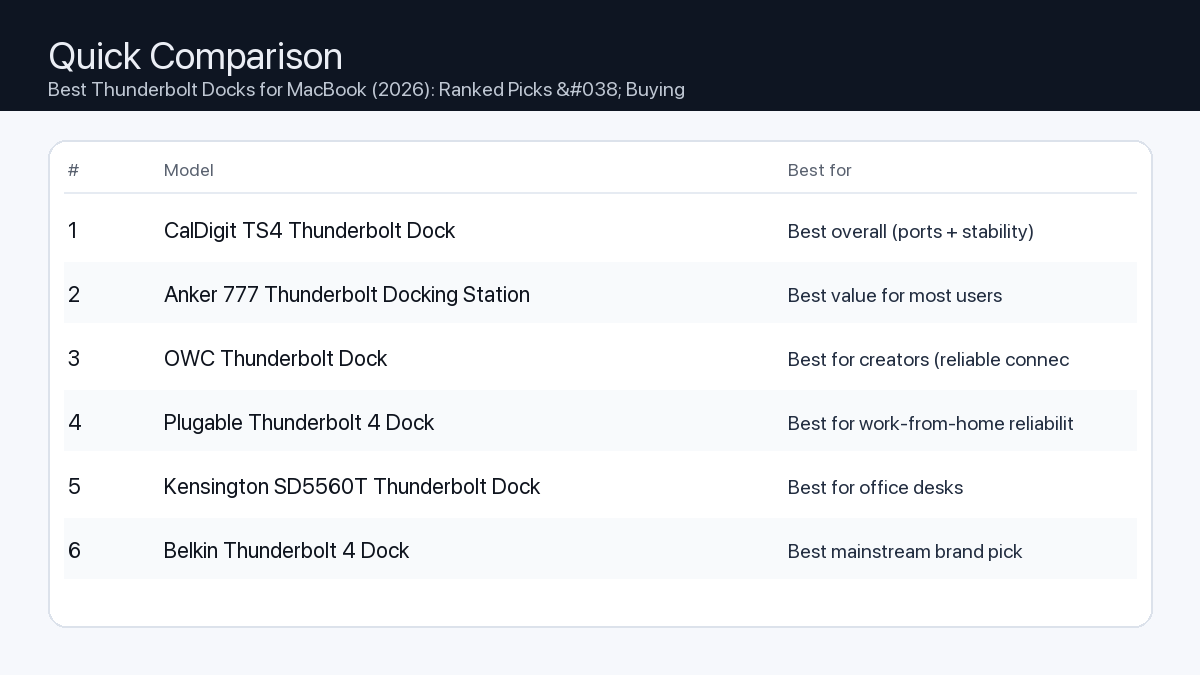
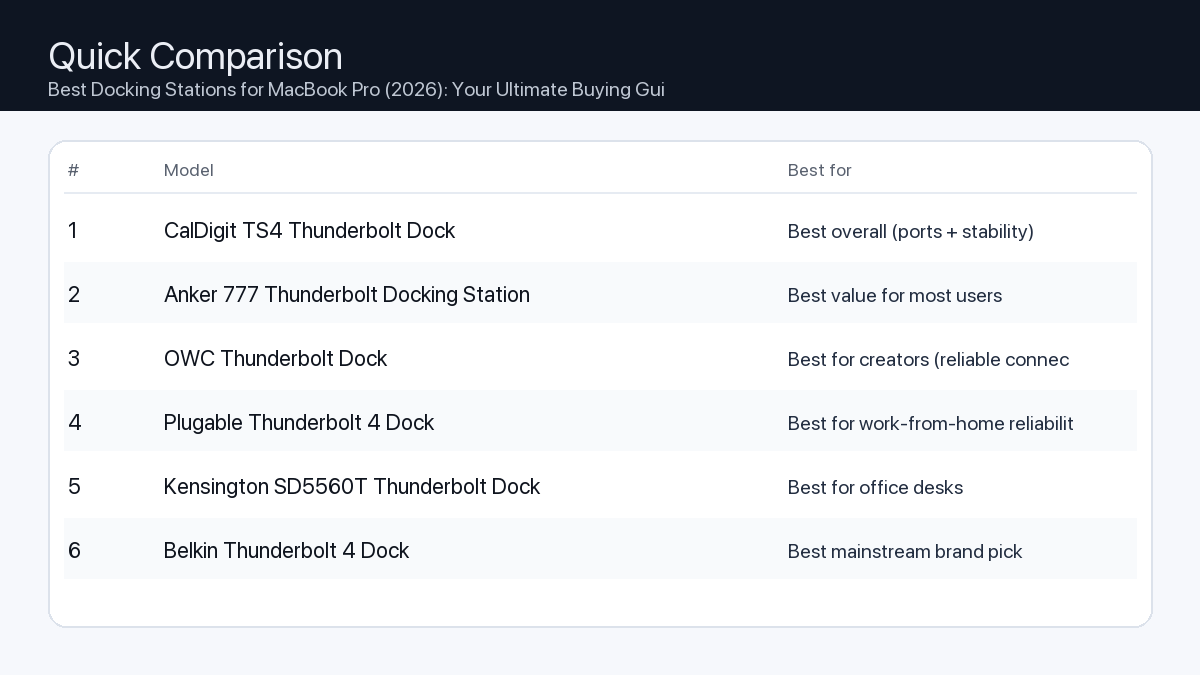
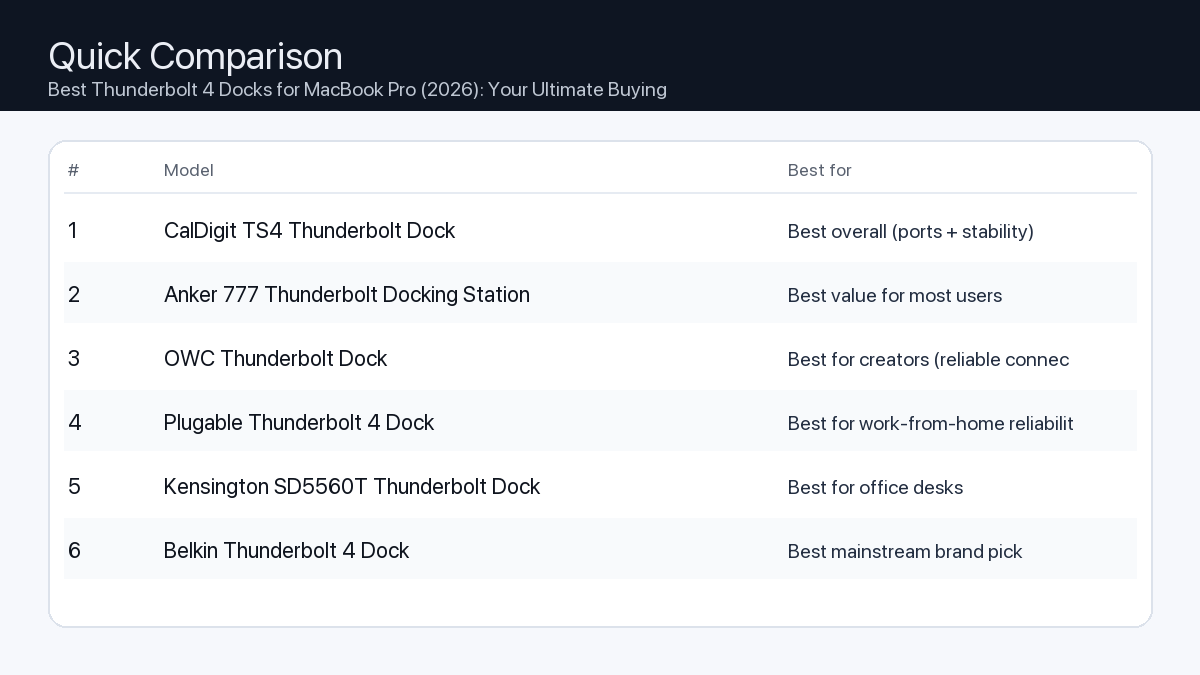
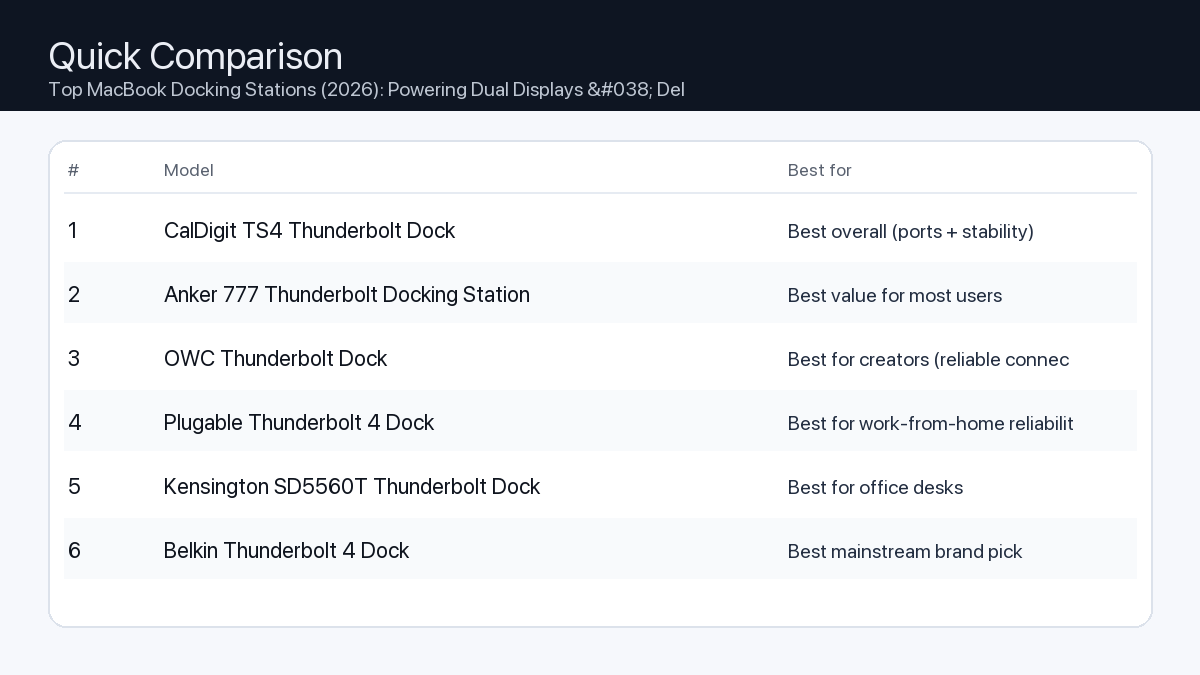
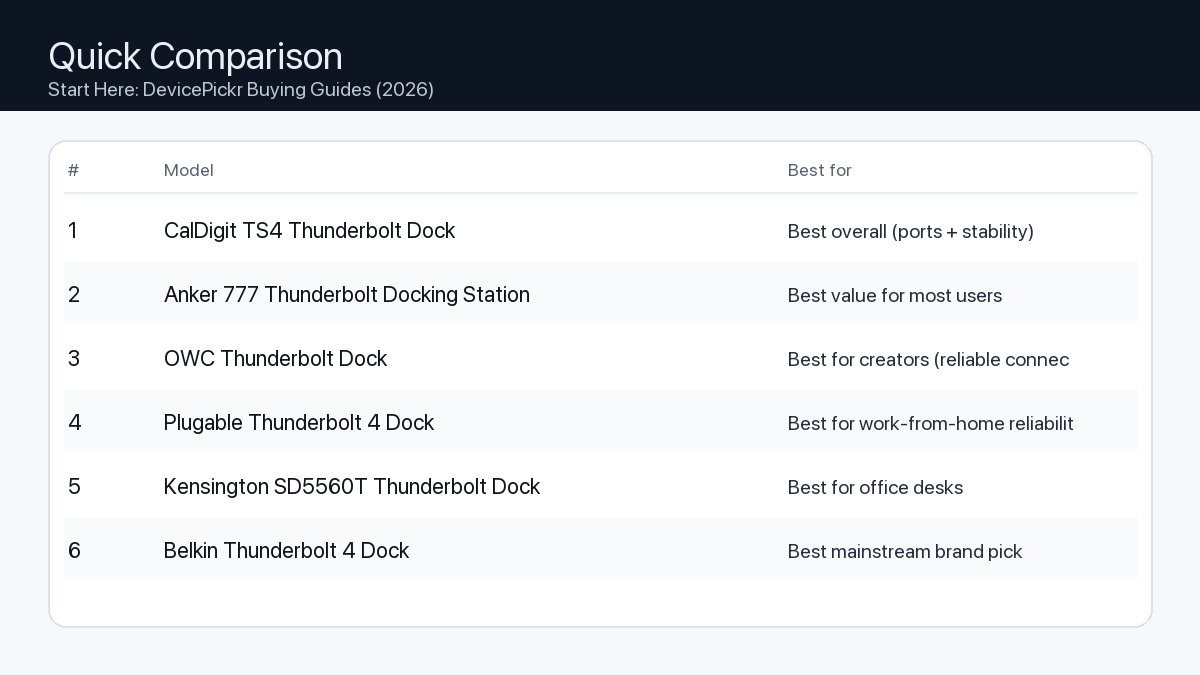
Quick Comparison
Note: Specs and availability change. Always confirm details on the product page.
| Model | Ports | Power | Display | Best for | Details |
|---|---|---|---|---|---|
| CalDigit TS4 Thunderbolt Dock | 18 | 98W | Dual 4K (host-dependent) | Best overall (ports + stability) | Open section |
| Anker 777 Thunderbolt Docking Station | 12 | 90W | Dual 4K (host-dependent) | Best value for most users | Open section |
| OWC Thunderbolt Dock | 11 | 90W | Dual 4K (host-dependent) | Best for creators (reliable connectivity) | Open section |
| Plugable Thunderbolt 4 Dock | 13 | 96W | 8K / dual 4K (host-dependent) | Best for work-from-home reliability | Open section |
| Kensington SD5560T Thunderbolt Dock | 10 | 96W | Dual 4K (host-dependent) | Best for office desks | Open section |
| Belkin Thunderbolt 4 Dock | 12 | 90W | 8K / dual 4K (host-dependent) | Best mainstream brand pick | Open section |
| Razer Thunderbolt 4 Dock Chroma | 10 | 90W | 8K / dual 4K (host-dependent) | Best for gaming setups | Open section |
Our Top Picks
#1. CalDigit TS4 Thunderbolt Dock
Best for: Best overall (ports + stability)
Why it made the list
- Premium build
- Very port-rich
- Great for pro setups
Tradeoffs
- Higher price
- Overkill for simple setups
Key specs (verify on the listing)
| Ports (total) | 18 |
| Host charging | Up to 98W |
| Ethernet | 2.5GbE |
| Card readers | SD UHS-II + microSD UHS-II |
| Display output | DisplayPort 1.4 (display support varies by host) |
Who should buy this
- Video editors and creators running multiple peripherals daily
- Users who want one-cable reliability for a desk setup
- People who need lots of ports and hate dongle chains
Avoid if
- You only need basic ports for one monitor and a couple USB devices
- Your budget is tight and you want the cheapest working option
- You prefer an ultra-compact travel hub (a dock is bigger)
Check price and compatibility for CalDigit TS4 Thunderbolt Dock
Price tip: Prices fluctuate; check Amazon for current deals and compatibility details.
#2. Anker 777 Thunderbolt Docking Station
Best for: Best value for most users

Why it made the list
- Solid everyday dock
- Good port mix
Tradeoffs
- Not the most ports vs premium docks
- May lack niche ports some pros want
Key specs (verify on the listing)
| Ports (total) | 12 |
| Host charging | Up to 90W (dynamic allocation) |
| Display output | 2x HDMI 2.0 (up to 4K@60Hz, host-dependent) |
| Ethernet | Gigabit |
| Card reader | SD (UHS-II) |
Who should buy this
- Most home-office users with a typical dual-monitor + accessories setup
- Budget-conscious buyers who still want a proper dock (not a tiny hub)
- People who want a well-known brand with easy availability
Avoid if
- You need maximum port count for a complex workstation
- You want niche pro features (specialty readers/extra downstream TB ports)
- You only need a small travel adapter (a dock is bigger)
Check price and compatibility for Anker 777 Thunderbolt Docking Station
Price tip: Prices fluctuate; check Amazon for current deals and compatibility details.
#3. OWC Thunderbolt Dock
Best for: Best for creators (reliable connectivity)

Why it made the list
- Strong Mac compatibility
- Creator-friendly ports
Tradeoffs
- Pricing varies by model
- Model lineup can be confusing
Key specs (verify on the listing)
| Ports (total) | 11 |
| Host charging | Up to 90W |
| Thunderbolt | 4x Thunderbolt 4 total (1 upstream + 3 downstream) |
| Ethernet | Gigabit |
| Card reader | SD (UHS-II) |
| USB-A | 3x USB-A (10Gbps) + 1x USB-A (USB 2.0) |
Who should buy this
- Mac-first buyers who value compatibility and support
- Creators who want a balanced dock without going ultra-premium
- People who prefer established pro accessory brands
Avoid if
- You want the simplest buying decision (OWC has multiple similar models)
- You want the cheapest option possible
- You only need a basic hub for travel
Check price and compatibility for OWC Thunderbolt Dock
Price tip: Prices fluctuate; check Amazon for current deals and compatibility details.
#4. Plugable Thunderbolt 4 Dock
Best for: Best for work-from-home reliability

Why it made the list
- Practical port selection
- Good support reputation
Tradeoffs
- Design is more utilitarian
- Less “premium” feel vs aluminum docks
Key specs (verify on the listing)
| Ports (total) | 13 |
| Host charging | 96W certified (100W PD) |
| Display output | 2x HDMI (dual 4K@60Hz, host-dependent) |
| Ethernet | Gigabit |
| Card readers | SD + microSD |
Who should buy this
- Remote workers who just need things to work day after day
- People who value support docs and troubleshooting help
- Users building a stable desk setup for calls, files, and monitors
Avoid if
- You want a luxury look on the desk
- You want a tiny travel adapter
- You want the most ports possible regardless of price
Check price and compatibility for Plugable Thunderbolt 4 Dock
Price tip: Prices fluctuate; check Amazon for current deals and compatibility details.
#5. Kensington SD5560T Thunderbolt Dock
Best for: Best for office desks
Why it made the list
- Desk-friendly
- Good port options
Tradeoffs
- Model lineup can be confusing
- Often priced at a premium for the brand
Key specs (verify on the listing)
| Ports (total) | 10 |
| Host charging | Up to 96W |
| Display output | HDMI 2.0 + Thunderbolt (dual 4K@60Hz on Thunderbolt hosts) |
| Ethernet | Gigabit |
| Card reader | None |
Who should buy this
- Office environments and shared desks
- People who want an established office-accessories brand
- Users who prefer “set it and forget it” desk hardware
Avoid if
- You want the best price-to-ports ratio
- You want a gaming/creator aesthetic
- You want a travel-friendly hub
Check price and compatibility for Kensington SD5560T Thunderbolt Dock
Price tip: Prices fluctuate; check Amazon for current deals and compatibility details.
#6. Belkin Thunderbolt 4 Dock
Best for: Best mainstream brand pick

Why it made the list
- Widely available
- Solid build
Tradeoffs
- Often priced at a premium
- Not always the best value on paper
Key specs (verify on the listing)
| Ports (total) | 12 |
| Host charging | Up to 90W |
| Display output | 2x HDMI 2.0 (plus Thunderbolt ports; host-dependent) |
| Ethernet | Gigabit |
| Card reader | SD |
Who should buy this
- Mainstream buyers who want easy purchasing and returns
- People who prefer big-name accessories
- Users who value availability over min-maxing specs
Avoid if
- You want the absolute best bang-for-buck
- You need specialized ports for a pro workflow
- You only need a small hub
Check price and compatibility for Belkin Thunderbolt 4 Dock
Price tip: Prices fluctuate; check Amazon for current deals and compatibility details.
#7. Razer Thunderbolt 4 Dock Chroma
Best for: Best for gaming setups

Why it made the list
- Desk aesthetic
- Good for multi-peripheral setups
Tradeoffs
- Not the best value
- You may pay extra for the look
Key specs (verify on the listing)
| Ports (total) | 10 |
| Host charging | Up to 90W |
| Thunderbolt | 4x Thunderbolt 4 total (1 upstream + 3 downstream) |
| Ethernet | Gigabit |
| Card reader | SD (UHS-II) |
| Display output | Via Thunderbolt/USB-C display (no built-in HDMI/DP) |
Who should buy this
- RGB / gaming desk setups with many peripherals
- People who care about desk aesthetics as much as function
- Users who want a dock that matches other gaming gear
Avoid if
- You want maximum value per dollar
- You don’t care about aesthetics
- You want a compact travel hub
Check price and compatibility for Razer Thunderbolt 4 Dock Chroma
Price tip: Prices fluctuate; check Amazon for current deals and compatibility details.
Still Can’t Decide?
Quick decision tree:
- Best overall (ports + stability) → CalDigit TS4 Thunderbolt Dock
- Best value for most users → Anker 777 Thunderbolt Docking Station
- Best for creators (reliable connectivity) → OWC Thunderbolt Dock
- Best for work-from-home reliability → Plugable Thunderbolt 4 Dock
- Best for office desks → Kensington SD5560T Thunderbolt Dock
- Best mainstream brand pick → Belkin Thunderbolt 4 Dock
Price tip: prices fluctuate often. If you’re flexible, watch for seasonal sales and compare listings before you buy.
Related Guides
Keep reading with these related buying guides:
- Best WiFi 7 Routers for Unrivaled Speed & Coverage in 2026: The Ultimate Buying Guide
- Best Mechanical Keyboard for Work and Gaming (2026) – A Comprehensive Buying Guide
- The Ultimate Android Tablet Buying Guide for Streaming & Productivity
- The Ultimate Buyer’s Guide: Self-Emptying Robot Vacuums for a Smarter Home
- Best Gaming Laptop Under $1500 in 2026: Your Ultimate Buying Guide
- Trending Tablet Picks for Note-Taking and Study: Your Ultimate Buying Guide