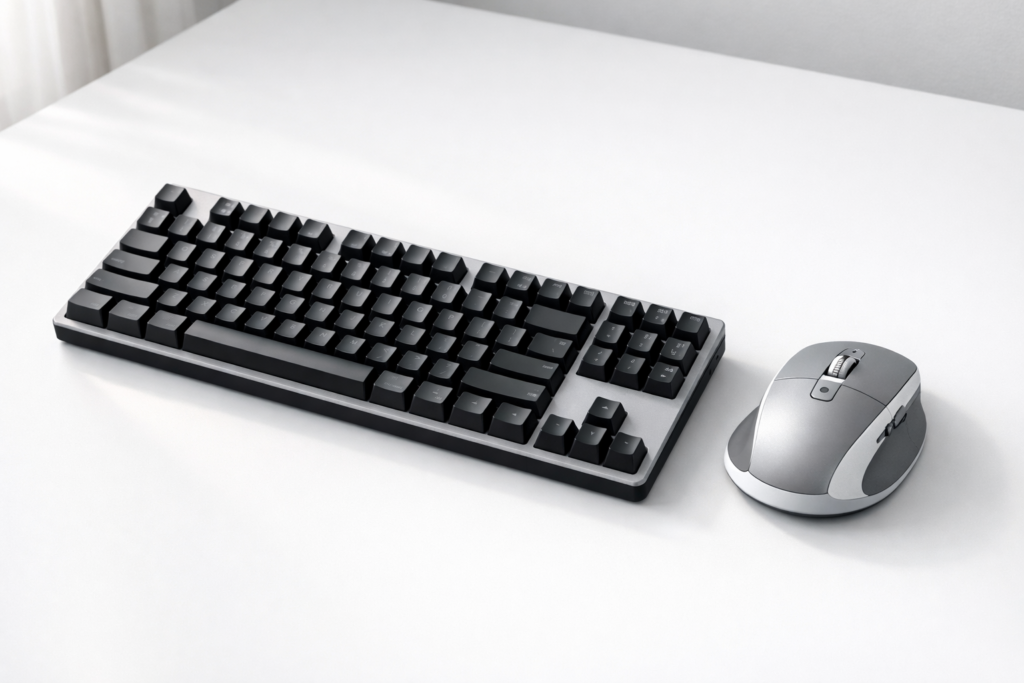
The keyboard and mouse are the two things you touch every single time you sit down at your desk. Yet most people are still using whatever came in the box. A proper keyboard and mouse upgrade doesn’t just feel better — it reduces fatigue, improves accuracy, and makes your entire setup more enjoyable to use.
We researched the best-selling and highest-rated keyboards and mice on Amazon for 2026. Here are our top picks across every budget and use case.
Our Top Picks at a Glance
| Product | Best For | Price Range |
|---|---|---|
| Logitech MX Keys S | Best Overall Keyboard | $$$ |
| Keychron K2 Pro | Best Mechanical Keyboard | $$ |
| Logitech MX Master 3S | Best Overall Mouse | $$$ |
| Razer DeathAdder V3 | Best for Gaming | $$ |
| Logitech Pebble M350 | Best Budget Pick | $ |
#1. Logitech MX Keys S — Best Overall Keyboard
The MX Keys S is the keyboard for people who type a lot and want it to feel effortless. The keys have a satisfying, slightly tactile feel without being loud — perfect for home offices, open spaces, or anyone who wants to type faster with less effort. It connects to up to three devices via Bluetooth and switches between them with a single key press. Backlit, rechargeable via USB-C, and built to last.
What we love: Comfortable for long typing sessions, seamless multi-device switching, premium build quality.
What to know: Not a mechanical keyboard — if you want clicky keys, see #2.
➡️ Check the latest price on Amazon
#2. Keychron K2 Pro — Best Mechanical Keyboard
The Keychron K2 Pro is the go-to mechanical keyboard for anyone who wants that satisfying click-clack experience without paying a premium for a “gaming” brand. It’s compact (75% layout), connects via Bluetooth or USB-C, and comes hot-swappable — meaning you can change the switches to match your preferred feel without soldering. Works flawlessly on Mac and Windows.
What we love: Hot-swappable switches, Mac/Windows compatibility, compact footprint.
What to know: Some switch options are louder — check the switch type before buying if you’re in a shared space.
➡️ Check the latest price on Amazon
#3. Logitech MX Master 3S — Best Overall Mouse
The MX Master 3S is the mouse that productivity enthusiasts keep recommending — and for good reason. It has an electromagnetic scroll wheel that can scroll through thousands of lines in seconds, a precise 8,000 DPI sensor, and side buttons that work brilliantly in apps like Excel, Figma, and browsers. Connects to three devices, charges via USB-C, and works on virtually any surface including glass.
What we love: MagSpeed scroll wheel is a game-changer, excellent ergonomics, works on any surface.
What to know: Right-hand only design. Left-handed users should look at a symmetrical alternative.
➡️ Check the latest price on Amazon
#4. Razer DeathAdder V3 — Best for Gaming
If you want a mouse built for fast, precise movement, the DeathAdder V3 is one of the best gaming mice on the market. It’s ultra-lightweight at 59g, uses Razer’s Focus Pro 30K optical sensor, and the ergonomic right-hand shape fits most grip styles perfectly. Wired for zero-latency input. It’s the mouse used by pro gamers worldwide — but it’s just as great for everyday desktop use if you like a light, fast mouse.
What we love: Incredibly light, best-in-class sensor, proven in competitive gaming.
What to know: Wired only (wireless version available at higher price). Right-hand design.
➡️ Check the latest price on Amazon
#5. Logitech Pebble M350 — Best Budget Pick
Want a solid wireless mouse without spending much? The Pebble M350 is the answer. It’s compact, silent, connects via Bluetooth or the nano USB receiver, and runs on a single AA battery for up to 18 months. It’s not a performance mouse, but for everyday web browsing, documents, and general computer use, it’s unbeatable at the price.
What we love: Silent clicks, dual-connection (Bluetooth + USB), incredibly long battery life.
What to know: Basic feature set — no fast scroll wheel or extra buttons.
➡️ Check the latest price on Amazon
What to Look for in a Keyboard and Mouse
Wired vs wireless: Wireless is more convenient for clean desk setups. Wired is better for gaming (zero latency). Modern wireless mice like the MX Master 3S are reliable enough for everyday work.
Mechanical vs membrane: Mechanical keyboards have individual switches per key — more tactile, more durable, and more satisfying to type on. Membrane keyboards are quieter and cheaper. Both are valid choices depending on your preference.
Ergonomics: If you type or use a mouse for hours every day, ergonomics matter. Look for keyboards with a slight tilt and mice that support a natural hand position. Vertical mice are worth considering if you have wrist strain.
Multi-device pairing: If you switch between a laptop, desktop, or tablet, look for keyboards and mice that support Bluetooth multi-device pairing — it saves a lot of hassle.
Battery life: Rechargeable (USB-C) is more convenient long-term. AA-battery mice and keyboards can last months or even years on a single set.
Bottom Line
For most people, the Logitech MX Keys S + MX Master 3S combo is the best keyboard and mouse setup money can buy for productivity and everyday use. If you’re on a budget, the Pebble M350 delivers surprising quality for the price. Mechanical keyboard fans should go straight for the Keychron K2 Pro — it’s the best in that category without question.
Any upgrade here will immediately make your desk feel more premium and your daily work more comfortable. It’s one of the easiest wins in any setup.