Disclosure: This post may contain affiliate links. As an Amazon Associate, I earn from qualifying purchases. Learn more.
Navigating the gaming keyboard market in 2026 can be a complex task, with innovations in switch technology, connectivity, and customization constantly evolving. For the dedicated esports athlete, competitive gamer, or content creator who demands peak performance, precision, and durability, investing in a premium model offers cutting-edge features, superior build quality, and extensive customization options. These keyboards are engineered for competitive advantage and long-term reliability.
Conversely, for casual gamers, those on a budget, or individuals seeking a reliable daily driver with solid gaming capabilities, a value-oriented model provides an excellent balance of performance and affordability. These selections offer robust features and a satisfying user experience without the highest price tag, ensuring you get a capable tool for both play and productivity.
Best Picks (2026)
Quick Answer (TL;DR) (Updated February 28, 2026)
If you want one safe pick: Keychron Q1 Max. If you want a better value: NuPhy Air75 V2.
How to use this page: scan the comparison table, jump to the matching use case, then open only the listing that fits your setup.
Fast path: choose one track below and ignore the rest.
- Track A (least risk): Keychron Q1 Max
- Track B (better value): NuPhy Air75 V2
How we picked: research-based selection using manufacturer specs, compatibility notes, and what to verify on the Amazon listing (no hands-on testing claims). Affiliate links may earn us a commission, but rankings are not paid placements.
Start with Keychron Q1 Max on Amazon Prefer value? Open NuPhy Air75 V2
Skip to a pick: #1 Keychron Q1 Max | #2 NuPhy Air75 V2 | #3 Logitech G Pro X TKL | #4 Wooting 80HE | #5 Razer BlackWidow V4 Pro
Head-to-Head: Top Pick vs Best Value
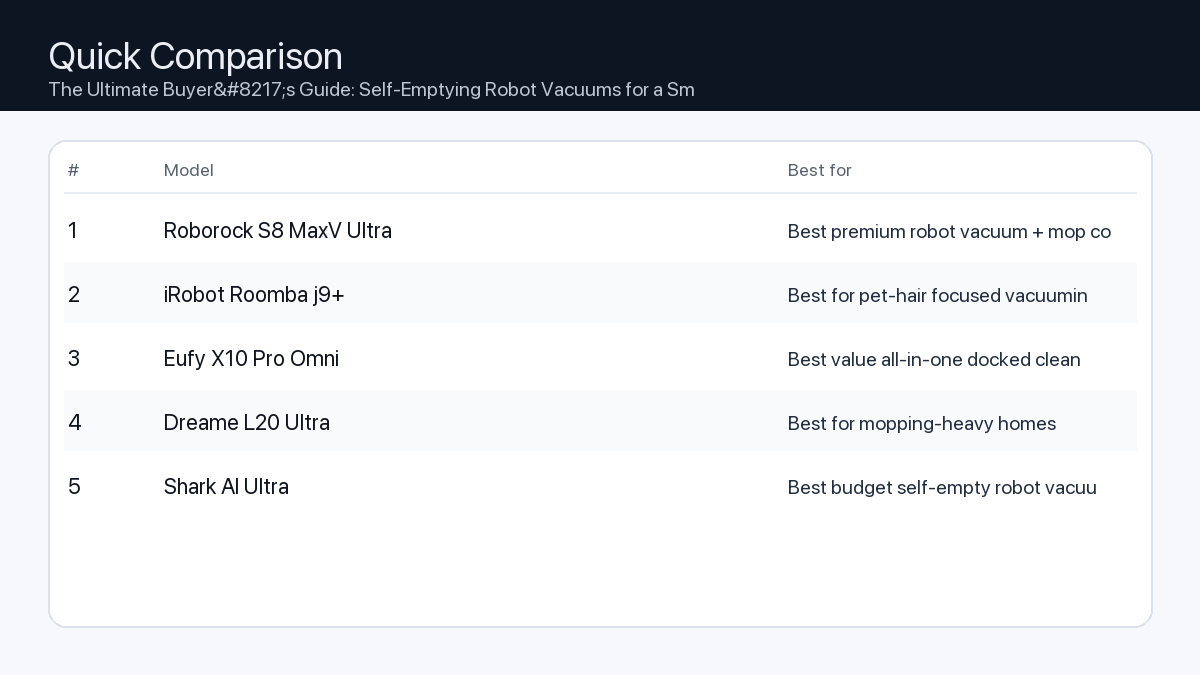
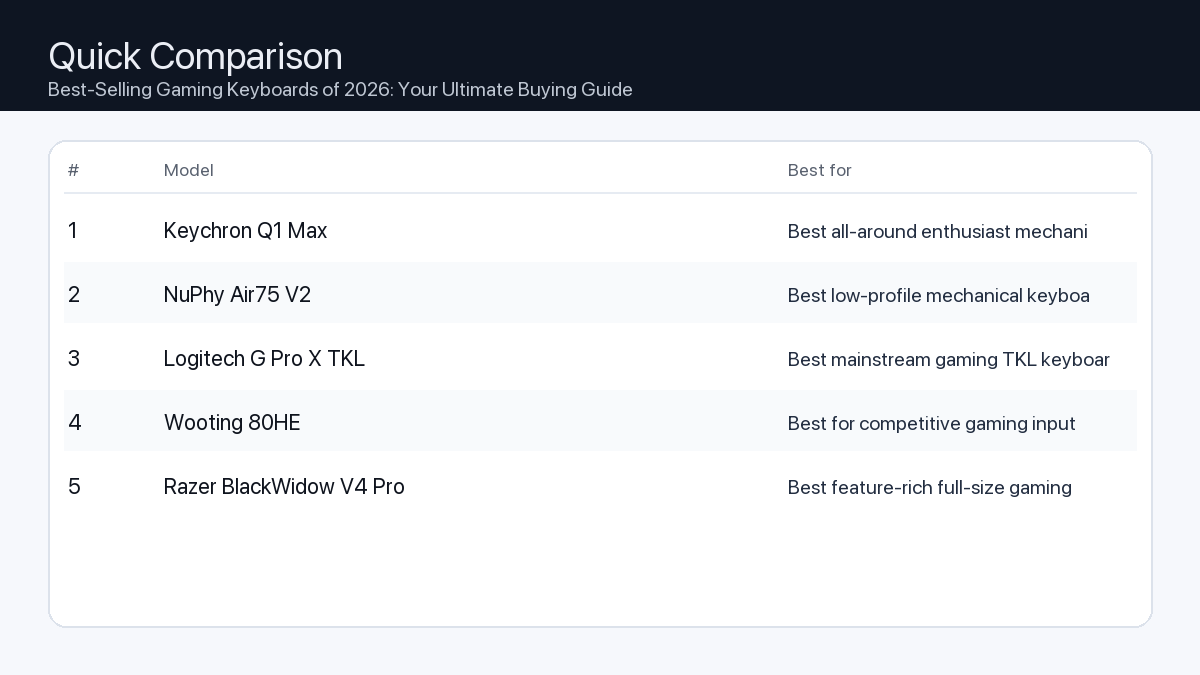
Quick Comparison
Note: Specs and availability change. Always confirm details on the product page.
| Model | Best for | Details |
|---|---|---|
| Keychron Q1 Max | Best all-around enthusiast mechanical keyboard | Open section |
| NuPhy Air75 V2 | Best low-profile mechanical keyboard | Open section |
| Logitech G Pro X TKL | Best mainstream gaming TKL keyboard | Open section |
| Wooting 80HE | Best for competitive gaming input control | Open section |
| Razer BlackWidow V4 Pro | Best feature-rich full-size gaming keyboard | Open section |
Our Top Picks
#1. Keychron Q1 Max
Best for: Best all-around enthusiast mechanical keyboard
Why it made the list
- Premium typing feel
- Strong build quality
- Good customization options
Tradeoffs
- Heavier and pricier than starter boards
Who should buy this
- Typing enthusiasts
- Users wanting high build quality
Avoid if
- You need the cheapest office keyboard
Check price and compatibility for Keychron Q1 Max
Price tip: Prices fluctuate; check Amazon for current deals and compatibility details.
#2. NuPhy Air75 V2
Best for: Best low-profile mechanical keyboard
Why it made the list
- Portable low-profile design
- Good wireless options
- Great for mixed work setups
Tradeoffs
- Low-profile feel is not for everyone
Who should buy this
- Users who travel with keyboard
- People preferring slim typing feel
Avoid if
- You want deep-travel classic switches
Check price and compatibility for NuPhy Air75 V2
Price tip: Prices fluctuate; check Amazon for current deals and compatibility details.
#3. Logitech G Pro X TKL
Best for: Best mainstream gaming TKL keyboard
Why it made the list
- Reliable gaming performance
- Strong brand support
- Tournament-friendly size
Tradeoffs
- Less enthusiast modding flexibility
Who should buy this
- Gamers wanting a familiar mainstream option
Avoid if
- You want heavy keyboard customization
Check price and compatibility for Logitech G Pro X TKL
Price tip: Prices fluctuate; check Amazon for current deals and compatibility details.
#4. Wooting 80HE
Best for: Best for competitive gaming input control
Why it made the list
- Advanced analog-style input features
- Great gaming software tuning
- High-performance focus
Tradeoffs
- Feature set can be overkill for casual users
Who should buy this
- Competitive gamers
- Users wanting advanced key actuation control
Avoid if
- You just need a basic work keyboard
Check price and compatibility for Wooting 80HE
Price tip: Prices fluctuate; check Amazon for current deals and compatibility details.
#5. Razer BlackWidow V4 Pro
Best for: Best feature-rich full-size gaming keyboard
Why it made the list
- Full-size controls
- Media and macro features
- RGB ecosystem integration
Tradeoffs
- Large footprint and premium pricing
Who should buy this
- Users wanting full-size gaming control center
Avoid if
- You need compact desk footprint
Check price and compatibility for Razer BlackWidow V4 Pro
Price tip: Prices fluctuate; check Amazon for current deals and compatibility details.
Still Can’t Decide?
Quick decision tree:
- Best all-around enthusiast mechanical keyboard → Keychron Q1 Max
- Best low-profile mechanical keyboard → NuPhy Air75 V2
- Best mainstream gaming TKL keyboard → Logitech G Pro X TKL
- Best for competitive gaming input control → Wooting 80HE
- Best feature-rich full-size gaming keyboard → Razer BlackWidow V4 Pro
Price tip: prices fluctuate often. If you’re flexible, watch for seasonal sales and compare listings before you buy.
How to Choose the Best Gaming Keyboard in 2026
Selecting the ideal gaming keyboard involves understanding a few core features and how they impact your experience. Consider these aspects to make an informed decision:
Key Features to Consider
- Switch Types: The Feel of Victory
-
Problem: Choosing the wrong switch can lead to slower reaction times, discomfort during extended sessions, or disruptive noise levels.
Consequence: Missed inputs in critical moments, finger fatigue, or complaints from housemates/co-workers due to loud key presses.
Recommendation: Gaming keyboards primarily use mechanical or optical switches. Mechanical switches offer distinct tactile feedback, while optical switches typically provide faster actuation due to light-based detection. Within these categories, common types include:
- Linear: Smooth, consistent keystroke without a tactile bump or audible click. Ideal for rapid double-tapping and fast-paced games where speed is paramount.
- Tactile: Features a noticeable ‘bump’ partway through the keystroke, providing feedback that the key has registered without an audible click. A good balance for typing and gaming.
- Clicky: Provides both a tactile bump and an audible ‘click’ sound. Preferred by those who enjoy distinct feedback for each press, though can be loud.
Checklist: Which switch type suits your playstyle?
- ✓ Prioritize speed and minimal resistance (e.g., FPS, rhythm games)? Consider Linear.
- ✓ Want a balance of typing comfort and gaming feedback (e.g., RPGs, strategy)? Consider Tactile.
- ✓ Enjoy distinct audio-tactile feedback for every press? Consider Clicky.
- Connectivity: Wired for Speed, Wireless for Freedom
-
Problem: Input lag from a poor wireless connection or cable clutter on your desk.
Consequence: Delayed reactions in competitive play, frustrating disconnections, or a messy workspace that restricts mouse movement.
Recommendation: Your connectivity choice impacts latency and desk organization.
- Wired (USB-C/USB-A): Offers zero measurable latency and reliable power. The most consistent option for competitive gaming.
- 2.4GHz Wireless (via USB dongle): Provides near-wired performance with extremely low latency, making it suitable for competitive gaming without the cable.
- Bluetooth Wireless: Best for multi-device connectivity and portability. May introduce slightly more latency than 2.4GHz, making it generally more suited for casual gaming or productivity.
Checklist: Wired vs. Wireless
- ✓ Absolute minimum latency for competitive play? Choose Wired.
- ✓ Prefer a clean desk and untethered gaming performance? Choose 2.4GHz Wireless.
- ✓ Need to connect to multiple devices (PC, tablet, phone) or maximize portability? Choose Bluetooth.
- Form Factor: Size Up Your Setup
-
Problem: A keyboard that’s too large limits mouse movement, or one that’s too small sacrifices essential keys for your workflow.
Consequence: Restricted aiming space for FPS games, constant shifting of the keyboard, or inefficiency due to missing number pads or function rows.
Recommendation: Keyboard size impacts desk space and key availability.
- Full-size (100%): Includes a number pad and full function row. Ideal for productivity and games requiring many hotkeys.
- Tenkeyless (TKL / 87%): Removes the number pad, saving desk space while retaining the function row. Popular among gamers for more mouse room.
- 75%: More compact than TKL, often condensing the navigation cluster and function row. Offers a good balance of size and key accessibility.
- 65%: Removes the function row and some navigation keys, maintaining arrow keys. Significantly saves space.
- 60%: Highly compact, removing the function row, navigation cluster, and arrow keys. Relies heavily on layers for secondary functions. Maximize mouse space.
Checklist: What size is right for you?
- ✓ Need a number pad for work or specific games? Go Full-size.
- ✓ Want more mouse room but still need a function row? Choose TKL.
- ✓ Prioritize maximum desk space and portability above all else? Consider 65% or 60%.
- Build Quality & Materials: Durability for the Long Haul
-
Problem: Flimsy construction can lead to early component failure, inconsistent key feel, or rapid wear on keycaps.
Consequence: A keyboard that breaks prematurely, an unsatisfactory typing/gaming experience, or shiny, worn-out keycaps after a few months.
Recommendation: Look for keyboards with robust materials and design.
- Chassis: Aluminum or high-grade plastic frames offer superior rigidity and durability compared to thinner plastic constructions.
- Keycaps: PBT (Polybutylene Terephthalate) keycaps are generally more durable and resistant to shine than ABS (Acrylonitrile Butadiene Styrene) keycaps, maintaining their texture and legends longer.
- Hot-swappable Switches: Allows you to easily replace individual switches without soldering, extending the keyboard’s lifespan and enabling customization.
- Software & Customization: Personalize Your Experience
-
Problem: Limited control over lighting, macros, or key remapping can lead to a suboptimal user experience.
Consequence: Inability to create complex macros for games, generic RGB lighting, or an inability to optimize the keyboard for specific workflows.
Recommendation: A robust software suite enhances your keyboard’s utility.
- RGB Lighting: Look for per-key customizable RGB with a wide array of effects and synchronization options.
- Macros & Key Remapping: Software that allows easy creation of complex macros and remapping of any key to a different function.
- Profiles & Onboard Memory: The ability to save multiple profiles for different games or applications, ideally with onboard memory so settings persist without the software running.
- Ergonomics & Comfort: Game Longer, Play Better
-
Problem: Poor ergonomics can lead to wrist strain, discomfort, and fatigue during long gaming or work sessions.
Consequence: Reduced performance due to discomfort, and potential long-term issues like Carpal Tunnel Syndrome.
Recommendation: Prioritize comfort features for extended use.
- Wrist Rests: Integrated or detachable wrist rests provide support, maintaining a neutral wrist position.
- Adjustable Tilt Feet: Allows you to set the keyboard angle for personalized comfort.
- Keycap Profile: OEM or Cherry profiles often provide a sculpted feel that can be more comfortable for typing than uniform profiles.
-
-
-
-
-
-
Example Setups for Different Users
The Esports Pro / Dedicated Gamer
- Needs: Uncompromising speed, precision, extreme durability, and minimal latency.
- Keyboard Profile: Tenkeyless (TKL) or 60% form factor for maximum mouse movement, linear optical or rapid mechanical switches, wired or ultra-low-latency 2.4GHz wireless connectivity, PBT keycaps, robust metal chassis, and comprehensive macro software.
The Content Creator / Streamer
- Needs: Versatility for gaming and productivity, dedicated macro keys, media controls, comfortable typing, and appealing aesthetics.
- Keyboard Profile: Full-size or 75% form factor, tactile mechanical switches (for balanced feedback), reliable wired or 2.4GHz wireless, dedicated media controls or programmable rotary encoders, vibrant per-key RGB, and a comfortable wrist rest.
The Hybrid Gamer & Office Worker
- Needs: Balanced performance for gaming and typing, multi-device connectivity, quieter operation, and a compact design for diverse environments.
- Keyboard Profile: TKL or 65% form factor, quieter tactile or linear mechanical switches (e.g., ‘silent’ variants), Bluetooth for multi-device pairing alongside 2.4GHz wireless or wired, durable keycaps, and a clean, understated aesthetic suitable for both home and office.
How We Picked Our Recommendations
Our selection process for the best-selling gaming keyboards of 2026 involved a thorough analysis of product specifications, technological innovations, and market trends. We examined detailed spec sheets for switch types, build materials, connectivity options, and software features. Compatibility notes with major operating systems and gaming platforms were carefully considered. We also factored in the general direction of industry advancements and key user needs to identify models that offer a compelling balance of performance, durability, and value for diverse gaming and productivity scenarios, without claiming direct hands-on testing.
FAQ
- Which should I buy: the #1 pick or the best value pick?
- If your priority is absolute peak performance, cutting-edge features, and premium build quality without budget constraints, the #1 pick is generally optimized for the most demanding users and competitive scenarios. However, if you seek excellent performance, reliable features, and a significant portion of the premium experience at a more accessible price point, the best value pick often delivers an outstanding return on investment for the discerning gamer who needs a capable tool without every top-tier amenity.
- Are mechanical keyboards truly better for gaming than membrane keyboards?
- Generally, yes. Mechanical keyboards offer superior tactile feedback, faster actuation, and greater durability compared to membrane keyboards. This translates to more precise inputs, quicker response times, and a more consistent feel over the keyboard’s lifespan, which are significant advantages in gaming.
- What’s the main difference between optical and traditional mechanical switches?
- The primary difference lies in their actuation method. Traditional mechanical switches use a physical metal contact to register a keypress. Optical switches, on the other hand, use a beam of light. When the key is pressed, the light beam is interrupted (or completed), signaling the keypress. This light-based system often results in faster actuation, fewer moving parts (potentially increasing durability), and eliminates debounce delay inherent in mechanical switches.
- Do I really need a wrist rest?
- While not strictly necessary for everyone, a wrist rest can significantly improve comfort and reduce strain during long gaming or typing sessions by keeping your wrists in a more neutral position. If you experience discomfort or play for extended periods, a good wrist rest is a worthwhile accessory to consider for ergonomic health.
Final Recommendation
Choosing the best-selling gaming keyboard in 2026 ultimately comes down to aligning features with your personal gaming style, budget, and specific needs. Whether you prioritize the blazing speed of linear optical switches, the tactile feedback of a mechanical keyboard, the freedom of a low-latency wireless connection, or the compact efficiency of a 60% layout, there’s a perfect match for you. Review the top contenders in our ranked list and consider how each model’s strengths align with your unique requirements to make a truly informed decision.
Related Guides
Keep reading with these related buying guides:
- Best Webcam for Remote Meetings & Zoom Calls (2026): A Comprehensive Buying Guide
- The Best Robot Vacuums Under $600 in 2026: Your Smart Cleaning Guide
- Best Power Bank for Travel and Daily Carry (2026) – Your Ultimate Buying Guide
- The Ultimate Robot Cleaner Buying Guide for Busy Homes (2026)
- MagSafe Battery Buying Guide: Power Your iPhone Wirelessly On-the-Go
- Best Smart TV Under $1000 in 2026: A Comprehensive Buying Guide