Disclosure: This post may contain affiliate links. As an Amazon Associate, I earn from qualifying purchases. Learn more.
Navigating the world of Thunderbolt docks for dual-display workflows can be streamlined by understanding your core needs. If you’re a professional requiring maximum bandwidth, high-resolution/refresh rate support, and future-proofing for complex peripherals, a premium Thunderbolt dock offers unparalleled performance and stability. Conversely, if your primary tasks involve standard office applications, 1080p or 1440p displays, and moderate peripheral use, a value-oriented dock can provide excellent functionality without unnecessary cost.
This buying guide will equip you with the knowledge to make an informed decision, ensuring your dual-monitor setup operates flawlessly with the right Thunderbolt dock.
Best Picks (2026)
Quick Answer (TL;DR) (Updated March 01, 2026)
If you want one safe pick: CalDigit TS4 Thunderbolt Dock. If you want a better value: Anker 777 Thunderbolt Docking Station.
How to use this page: scan the comparison table, jump to the matching use case, then open only the listing that fits your setup.
Fast path: choose one track below and ignore the rest.
- Track A (least risk): CalDigit TS4 Thunderbolt Dock
- Track B (better value): Anker 777 Thunderbolt Docking Station
How we picked: research-based selection using manufacturer specs, compatibility notes, and what to verify on the Amazon listing (no hands-on testing claims). Affiliate links may earn us a commission, but rankings are not paid placements.
Start with CalDigit TS4 Thunderbolt Dock on Amazon Prefer value? Open Anker 777 Thunderbolt Docking Station
Skip to a pick: #1 CalDigit TS4 Thunderbolt Dock | #2 Anker 777 Thunderbolt Docking Station | #3 OWC Thunderbolt Dock | #4 Plugable Thunderbolt 4 Dock | #5 Kensington SD5560T Thunderbolt Dock
Head-to-Head: Top Pick vs Best Value
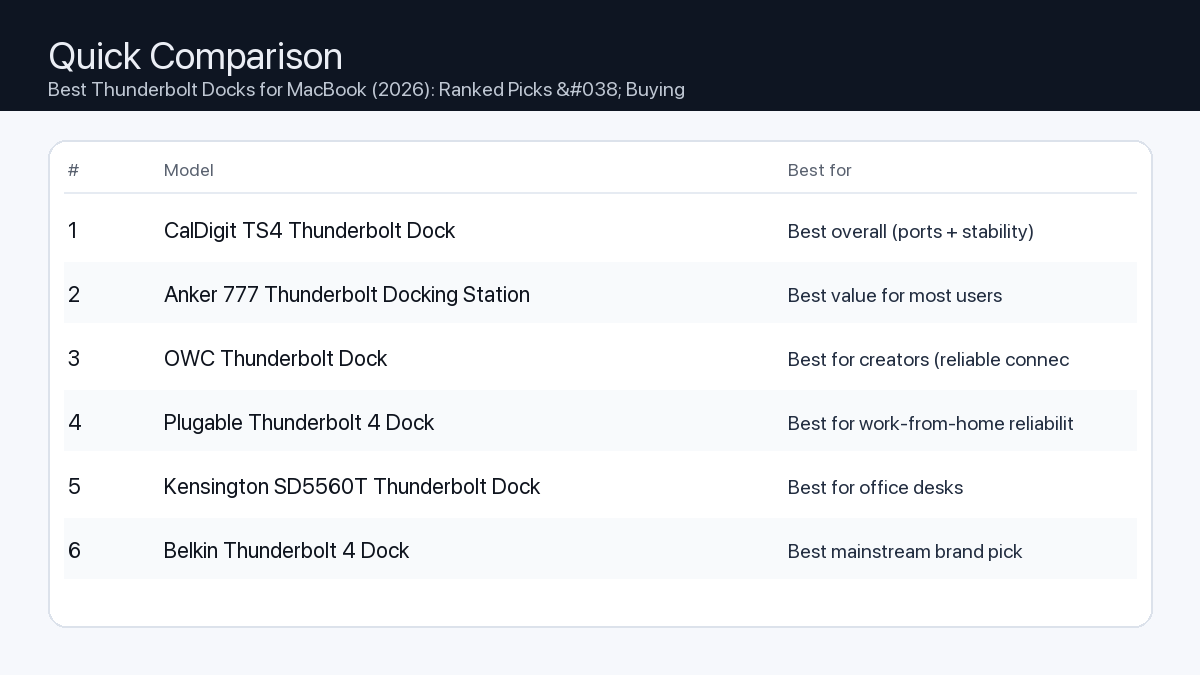
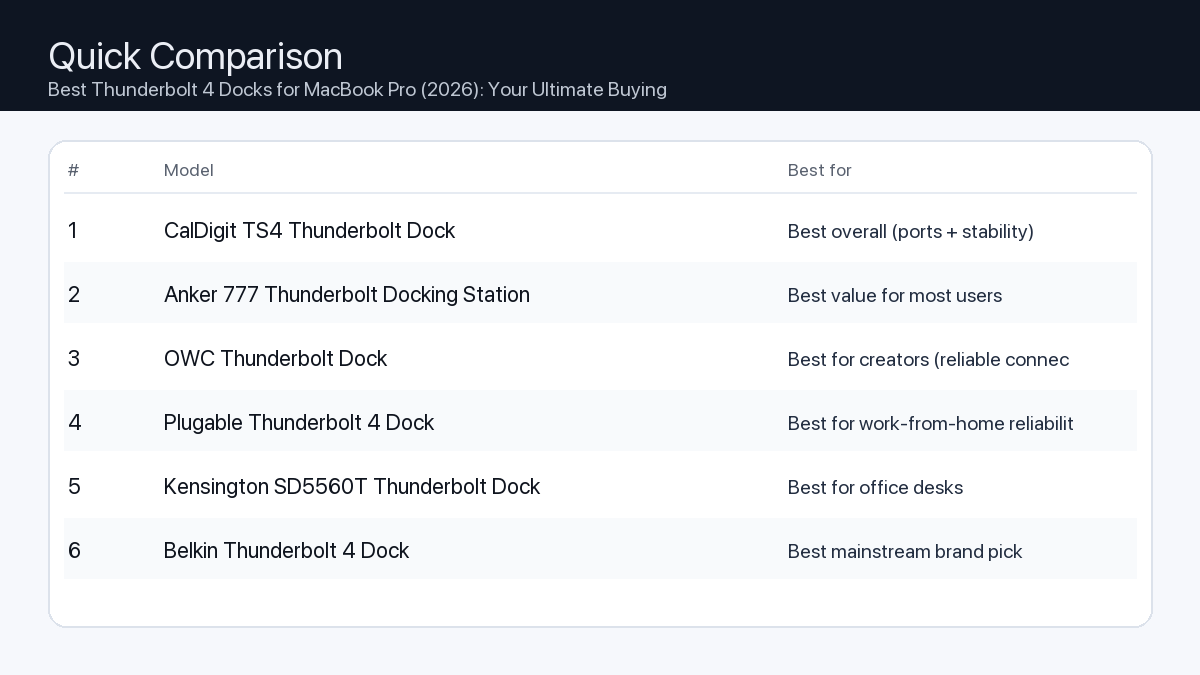
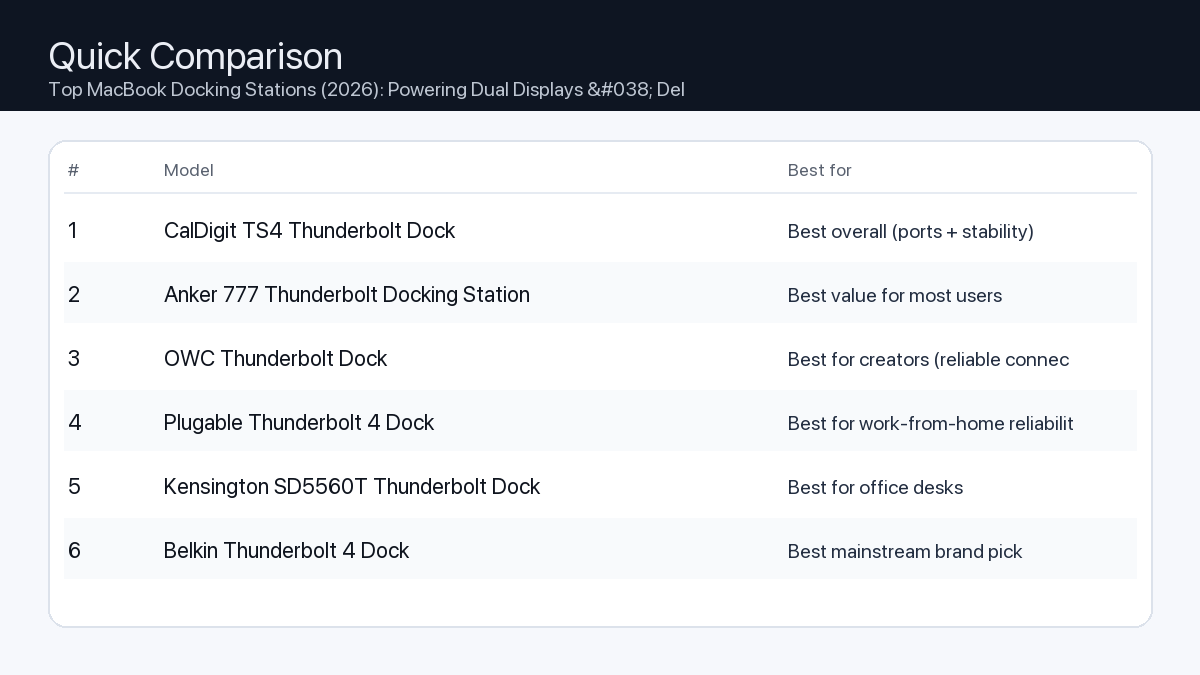
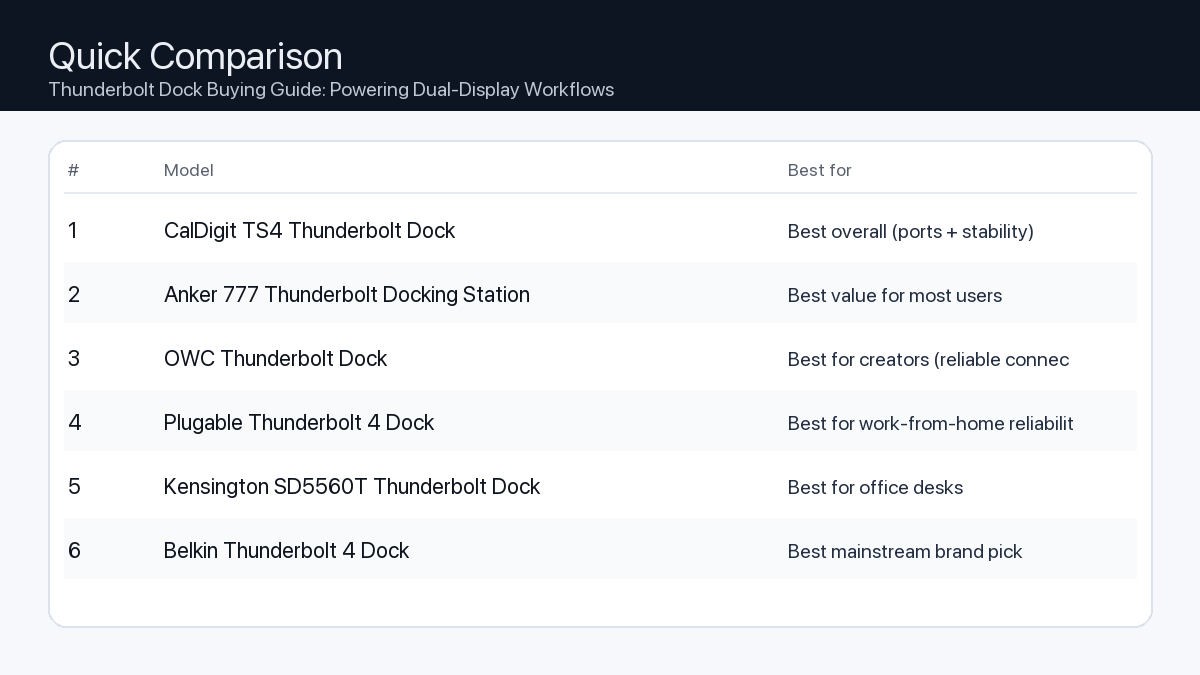
Quick Comparison
Note: Specs and availability change. Always confirm details on the product page.
| Model | Ports | Power | Display | Best for | Details |
|---|---|---|---|---|---|
| CalDigit TS4 Thunderbolt Dock | 18 | 98W | Dual 4K (host-dependent) | Best overall (ports + stability) | Open section |
| Anker 777 Thunderbolt Docking Station | 12 | 90W | Dual 4K (host-dependent) | Best value for most users | Open section |
| OWC Thunderbolt Dock | 11 | 90W | Dual 4K (host-dependent) | Best for creators (reliable connectivity) | Open section |
| Plugable Thunderbolt 4 Dock | 13 | 96W | 8K / dual 4K (host-dependent) | Best for work-from-home reliability | Open section |
| Kensington SD5560T Thunderbolt Dock | 10 | 96W | Dual 4K (host-dependent) | Best for office desks | Open section |
| Belkin Thunderbolt 4 Dock | 12 | 90W | 8K / dual 4K (host-dependent) | Best mainstream brand pick | Open section |
| Razer Thunderbolt 4 Dock Chroma | 10 | 90W | 8K / dual 4K (host-dependent) | Best for gaming setups | Open section |
Our Top Picks
#1. CalDigit TS4 Thunderbolt Dock
Best for: Best overall (ports + stability)
Why it made the list
- Premium build
- Very port-rich
- Great for pro setups
Tradeoffs
- Higher price
- Overkill for simple setups
Key specs (verify on the listing)
| Ports (total) | 18 |
| Host charging | Up to 98W |
| Ethernet | 2.5GbE |
| Card readers | SD UHS-II + microSD UHS-II |
| Display output | DisplayPort 1.4 (display support varies by host) |
Who should buy this
- Video editors and creators running multiple peripherals daily
- Users who want one-cable reliability for a desk setup
- People who need lots of ports and hate dongle chains
Avoid if
- You only need basic ports for one monitor and a couple USB devices
- Your budget is tight and you want the cheapest working option
- You prefer an ultra-compact travel hub (a dock is bigger)
Check price and compatibility for CalDigit TS4 Thunderbolt Dock
Price tip: Prices fluctuate; check Amazon for current deals and compatibility details.
#2. Anker 777 Thunderbolt Docking Station
Best for: Best value for most users

Why it made the list
- Solid everyday dock
- Good port mix
Tradeoffs
- Not the most ports vs premium docks
- May lack niche ports some pros want
Key specs (verify on the listing)
| Ports (total) | 12 |
| Host charging | Up to 90W (dynamic allocation) |
| Display output | 2x HDMI 2.0 (up to 4K@60Hz, host-dependent) |
| Ethernet | Gigabit |
| Card reader | SD (UHS-II) |
Who should buy this
- Most home-office users with a typical dual-monitor + accessories setup
- Budget-conscious buyers who still want a proper dock (not a tiny hub)
- People who want a well-known brand with easy availability
Avoid if
- You need maximum port count for a complex workstation
- You want niche pro features (specialty readers/extra downstream TB ports)
- You only need a small travel adapter (a dock is bigger)
Check price and compatibility for Anker 777 Thunderbolt Docking Station
Price tip: Prices fluctuate; check Amazon for current deals and compatibility details.
#3. OWC Thunderbolt Dock
Best for: Best for creators (reliable connectivity)

Why it made the list
- Strong Mac compatibility
- Creator-friendly ports
Tradeoffs
- Pricing varies by model
- Model lineup can be confusing
Key specs (verify on the listing)
| Ports (total) | 11 |
| Host charging | Up to 90W |
| Thunderbolt | 4x Thunderbolt 4 total (1 upstream + 3 downstream) |
| Ethernet | Gigabit |
| Card reader | SD (UHS-II) |
| USB-A | 3x USB-A (10Gbps) + 1x USB-A (USB 2.0) |
Who should buy this
- Mac-first buyers who value compatibility and support
- Creators who want a balanced dock without going ultra-premium
- People who prefer established pro accessory brands
Avoid if
- You want the simplest buying decision (OWC has multiple similar models)
- You want the cheapest option possible
- You only need a basic hub for travel
Check price and compatibility for OWC Thunderbolt Dock
Price tip: Prices fluctuate; check Amazon for current deals and compatibility details.
#4. Plugable Thunderbolt 4 Dock
Best for: Best for work-from-home reliability

Why it made the list
- Practical port selection
- Good support reputation
Tradeoffs
- Design is more utilitarian
- Less “premium” feel vs aluminum docks
Key specs (verify on the listing)
| Ports (total) | 13 |
| Host charging | 96W certified (100W PD) |
| Display output | 2x HDMI (dual 4K@60Hz, host-dependent) |
| Ethernet | Gigabit |
| Card readers | SD + microSD |
Who should buy this
- Remote workers who just need things to work day after day
- People who value support docs and troubleshooting help
- Users building a stable desk setup for calls, files, and monitors
Avoid if
- You want a luxury look on the desk
- You want a tiny travel adapter
- You want the most ports possible regardless of price
Check price and compatibility for Plugable Thunderbolt 4 Dock
Price tip: Prices fluctuate; check Amazon for current deals and compatibility details.
#5. Kensington SD5560T Thunderbolt Dock
Best for: Best for office desks
Why it made the list
- Desk-friendly
- Good port options
Tradeoffs
- Model lineup can be confusing
- Often priced at a premium for the brand
Key specs (verify on the listing)
| Ports (total) | 10 |
| Host charging | Up to 96W |
| Display output | HDMI 2.0 + Thunderbolt (dual 4K@60Hz on Thunderbolt hosts) |
| Ethernet | Gigabit |
| Card reader | None |
Who should buy this
- Office environments and shared desks
- People who want an established office-accessories brand
- Users who prefer “set it and forget it” desk hardware
Avoid if
- You want the best price-to-ports ratio
- You want a gaming/creator aesthetic
- You want a travel-friendly hub
Check price and compatibility for Kensington SD5560T Thunderbolt Dock
Price tip: Prices fluctuate; check Amazon for current deals and compatibility details.
#6. Belkin Thunderbolt 4 Dock
Best for: Best mainstream brand pick

Why it made the list
- Widely available
- Solid build
Tradeoffs
- Often priced at a premium
- Not always the best value on paper
Key specs (verify on the listing)
| Ports (total) | 12 |
| Host charging | Up to 90W |
| Display output | 2x HDMI 2.0 (plus Thunderbolt ports; host-dependent) |
| Ethernet | Gigabit |
| Card reader | SD |
Who should buy this
- Mainstream buyers who want easy purchasing and returns
- People who prefer big-name accessories
- Users who value availability over min-maxing specs
Avoid if
- You want the absolute best bang-for-buck
- You need specialized ports for a pro workflow
- You only need a small hub
Check price and compatibility for Belkin Thunderbolt 4 Dock
Price tip: Prices fluctuate; check Amazon for current deals and compatibility details.
#7. Razer Thunderbolt 4 Dock Chroma
Best for: Best for gaming setups

Why it made the list
- Desk aesthetic
- Good for multi-peripheral setups
Tradeoffs
- Not the best value
- You may pay extra for the look
Key specs (verify on the listing)
| Ports (total) | 10 |
| Host charging | Up to 90W |
| Thunderbolt | 4x Thunderbolt 4 total (1 upstream + 3 downstream) |
| Ethernet | Gigabit |
| Card reader | SD (UHS-II) |
| Display output | Via Thunderbolt/USB-C display (no built-in HDMI/DP) |
Who should buy this
- RGB / gaming desk setups with many peripherals
- People who care about desk aesthetics as much as function
- Users who want a dock that matches other gaming gear
Avoid if
- You want maximum value per dollar
- You don’t care about aesthetics
- You want a compact travel hub
Check price and compatibility for Razer Thunderbolt 4 Dock Chroma
Price tip: Prices fluctuate; check Amazon for current deals and compatibility details.
Still Can’t Decide?
Quick decision tree:
- Best overall (ports + stability) → CalDigit TS4 Thunderbolt Dock
- Best value for most users → Anker 777 Thunderbolt Docking Station
- Best for creators (reliable connectivity) → OWC Thunderbolt Dock
- Best for work-from-home reliability → Plugable Thunderbolt 4 Dock
- Best for office desks → Kensington SD5560T Thunderbolt Dock
- Best mainstream brand pick → Belkin Thunderbolt 4 Dock
Price tip: prices fluctuate often. If you’re flexible, watch for seasonal sales and compare listings before you buy.
How to Choose the Best Thunderbolt Dock for Dual-Display Workflows
A Thunderbolt dock serves as the central hub for your entire workstation, transforming your laptop into a powerful desktop setup with a single cable connection. For dual-display users, the right dock is crucial for managing video output, connecting peripherals, and providing power.
Understanding Thunderbolt Technology
Thunderbolt is a high-speed data transfer technology developed by Intel, leveraging the USB-C connector. It offers significant advantages over standard USB-C, including:
- Bandwidth: Up to 40 Gigabits per second (Gbps) bi-directional bandwidth.
- Versatility: Carries data, video, audio, and power over a single cable.
- Daisy Chaining: Allows multiple Thunderbolt devices to be connected in a chain.
This high bandwidth is what makes Thunderbolt docks ideal for supporting multiple high-resolution displays simultaneously without compromise.
Key Features for Dual-Display Workflows
1. Display Output & Resolution Support
Choosing a dock that properly supports your desired display configuration is paramount. Mismatched capabilities can lead to a frustrating experience.
- Problem: Your dock claims dual-display support, but only at lower resolutions or refresh rates than your monitors are capable of, or requires specific adapters.
- Consequence: Blurry text, choppy video, screen flickering, or the inability to use both displays simultaneously at their optimal settings.
- Recommendation: Verify the dock’s exact display output specifications. Look for support for “dual 4K @ 60Hz” or “dual 1440p @ 120Hz” if those are your monitor’s capabilities. Note whether it uses DisplayPort (DP), HDMI, or USB-C Alt Mode for video output. Thunderbolt 4 docks guarantee support for at least two 4K displays at 60Hz, or one 8K display at 30Hz, offering superior compatibility and performance compared to some Thunderbolt 3 docks which varied widely in display output capabilities.
Checklist for Display Output:
- Are the included display ports (HDMI, DisplayPort) compatible with your monitors?
- Does the dock support your desired resolution (e.g., 1080p, 1440p, 4K) for both displays simultaneously?
- Does it support your desired refresh rate (e.g., 60Hz, 120Hz, 144Hz) for both displays?
- Does it explicitly state support for your operating system (macOS, Windows) for dual displays?
2. Port Selection & Quantity
Beyond displays, a dock should consolidate all your essential peripherals.
- Problem: A dock with insufficient or the wrong type of ports means you’ll still need external hubs or be constantly plugging/unplugging devices.
- Consequence: Cluttered desk, reduced workflow efficiency, and potential bandwidth bottlenecks if using multiple high-speed devices.
- Recommendation: Inventory your current and future peripherals. Consider the number of USB-A (for older devices), USB-C (for newer devices), Ethernet, and audio ports you need. An SD card reader can be a valuable addition for creators.
Checklist for Port Selection:
- Enough USB-A ports for keyboard, mouse, printer, webcam?
- Enough USB-C ports for external SSDs, phone charging, or other modern peripherals?
- Reliable Gigabit Ethernet port for stable internet?
- Audio input/output jacks for headphones/mic?
- An SD card reader if you work with camera media?
3. Power Delivery (PD)
A good dock should charge your laptop efficiently, eliminating the need for a separate power brick.
- Problem: A dock provides insufficient power delivery for your laptop.
- Consequence: Your laptop slowly drains battery while connected, or charges very slowly, still requiring you to use its dedicated power adapter.
- Recommendation: Check your laptop’s power adapter wattage (e.g., 60W, 90W, 100W). Choose a dock that meets or ideally exceeds this requirement. Most Thunderbolt docks offer 60W, 90W, or 100W of power delivery.
Checklist for Power Delivery:
- Does the dock’s power delivery wattage meet or exceed your laptop’s charging requirements?
4. Host Connectivity: Thunderbolt 3 vs. Thunderbolt 4 (and USB4)
While both Thunderbolt 3 and 4 offer 40Gbps bandwidth, Thunderbolt 4 brings key improvements relevant to docks.
- Problem: Confusion about compatibility and actual capabilities between different Thunderbolt versions.
- Consequence: Unexpected limitations on external devices, reduced multi-monitor support, or incompatible accessories.
- Recommendation: Whenever possible, opt for a Thunderbolt 4 dock. Thunderbolt 4 offers guaranteed minimums for video support (at least two 4K displays), improved security, and better compatibility with a wider range of USB-C devices and accessories, ensuring a more consistent and reliable experience. Thunderbolt 3 docks are still highly capable, but their video output guarantees varied by manufacturer. USB4 is built on the Thunderbolt 3 specification but does not guarantee all Thunderbolt features without specific certification.
Key Differences for Docks:
- Thunderbolt 4: Guarantees support for two 4K displays @ 60Hz, consistent 32Gbps PCIe tunnel (for external GPUs/fast storage), and improved USB-C accessory compatibility.
- Thunderbolt 3: Also 40Gbps, but display support varied (some only supported one 4K or two 1080p displays natively), and PCIe bandwidth was often lower.
Example Dual-Display Setups and Recommended Dock Focus
1. The Video Editor / Creative Professional
- Workflow: Editing 4K/8K video, graphic design, 3D rendering.
- Typical Setup: Two high-resolution (4K or 5K) monitors, fast external SSDs (NVMe enclosures), audio interface, Wacom tablet or other input devices.
- Dock Focus:
- High display bandwidth: Essential for dual 4K/5K displays at fluid refresh rates. Look for docks that specify robust multi-display capabilities.
- Multiple high-speed USB ports: For external storage that can transfer large files quickly.
- Robust Power Delivery: To ensure high-performance laptops remain charged during intensive tasks.
- Potential for an SD/microSD card reader.
2. The Office Professional / Remote Worker
- Workflow: Document editing, video conferencing, email, web browsing, data entry.
- Typical Setup: Two 1080p or 1440p monitors, keyboard, mouse, webcam, occasional USB flash drive.
- Dock Focus:
- Sufficient display outputs: Support for dual 1080p/1440p at standard refresh rates (60Hz).
- Standard USB-A and USB-C ports: For common office peripherals.
- Reliable Gigabit Ethernet: For stable network connectivity during calls and data transfers.
- Moderate Power Delivery: Typically 60W-90W is sufficient for most business laptops.
3. The Gamer / Streamer / Creator (Hybrid)
- Workflow: Gaming on one display, streaming/chat on the other; content creation, heavy multi-tasking.
- Typical Setup: One high-refresh-rate monitor (144Hz+) for gaming, another 1080p/1440p monitor for secondary tasks, external storage, high-quality microphone, webcam, capture card.
- Dock Focus:
- Specific display output for high refresh rates: Often DisplayPort is preferred for high-refresh-rate monitors. Confirm dock supports the required resolution and refresh rate (e.g., 1440p @ 144Hz) on at least one output.
- Multiple USB 3.x ports: For high-speed peripherals like external SSDs, webcams, or capture cards that require reliable data transfer.
- Robust Power Delivery: To maintain laptop charge during gaming or streaming sessions.
- Ample USB-A and USB-C ports for various accessories.
How We Picked
Our selection process focuses on identifying Thunderbolt docks that offer the best balance of features, performance, and compatibility for dual-display workflows, without specific product endorsement. We analyzed manufacturer specifications, focusing on key performance indicators:
- Thunderbolt Version: Prioritizing Thunderbolt 4 for its guaranteed minimums and improved compatibility.
- Display Output Combinations: Verifying support for common dual-monitor setups (e.g., dual 4K @ 60Hz, dual 1440p @ 120Hz) and the types of display ports available.
- Power Delivery (PD) Capabilities: Ensuring sufficient wattage to charge most modern laptops.
- Port Variety and Quantity: Assessing the range and number of USB-A, USB-C, Ethernet, and other useful ports.
- Reported Compatibility: Considering broad compatibility with both macOS and Windows systems.
This approach allows us to recommend categories of docks that meet specific user needs based on their documented technical specifications and typical use cases.
FAQ
Q: Which should I buy: the #1 pick or the best value pick?
A: Your decision hinges on your specific requirements and budget:
- Choose the #1 Pick if: You demand the highest possible performance, maximum future-proofing, need to connect the most demanding peripherals, or regularly work with high-resolution/high-refresh-rate displays where budget is a secondary concern.
- Choose the Best Value Pick if: You need solid, reliable performance for typical office and productivity tasks, primarily use 1080p or 1440p displays, or are working within a tighter budget without sacrificing essential functionality.
Q: Can I use a Thunderbolt dock with a non-Thunderbolt USB-C laptop?
A: While some basic functionality like USB data and display via DisplayPort Alt Mode might work, you will not experience full Thunderbolt speeds, capabilities, or all the dock’s ports. For full performance, your laptop must have a Thunderbolt port.
Q: Do I need a special cable for a Thunderbolt dock?
A: Yes, always use a certified Thunderbolt cable (usually included with the dock, or sold separately as a Thunderbolt 3 or Thunderbolt 4 cable) to ensure full bandwidth and all features, especially for video output and daisy chaining. Standard USB-C cables may not support full Thunderbolt capabilities.
Final Recommendation
A high-quality Thunderbolt dock is an investment in productivity and a streamlined workspace, especially for dual-display users. By carefully considering your display needs, required ports, and power delivery, you can select a dock that not only meets your current demands but also offers room to grow. Match the dock’s capabilities to your workflow, and enjoy a powerful, uncluttered setup that enhances your daily tasks.
Related Guides
Keep reading with these related buying guides:
- Top iPad Alternatives Worth Buying in 2026: Your Definitive Buying Guide
- Best Webcam for Remote Meetings & Zoom Calls (2026): A Comprehensive Buying Guide
- The Best Robot Vacuums Under $600 in 2026: Your Smart Cleaning Guide
- Best Power Bank for Travel and Daily Carry (2026) – Your Ultimate Buying Guide
- The Ultimate Robot Cleaner Buying Guide for Busy Homes (2026)
- MagSafe Battery Buying Guide: Power Your iPhone Wirelessly On-the-Go